


If you're a Magento 2 developer working on testing, custom workflows, or integrations, generating and managing orders programmatically can save significant time and effort. This approach allows you to simulate real transactions, validate business logic, and prepare bulk data for QA or performance testing.
In this guide, we'll walk you through the core techniques for creating, updating, and managing Magento 2 orders with code. We'll also show you how to automate tasks such as invoicing, shipping, and cancellation, while ensuring your implementation is efficient and production-ready.
Creating Magento 2 Orders Programmatically
To create an order programmatically in Magento 2, you'll first need to create a quote, add products, assign a customer, and set the necessary billing, shipping, and payment details. Once everything is configured, the quote can be submitted to generate a new order.
Here is a complete example:
$objectManager = \Magento\Framework\App\ObjectManager::getInstance();
$storeManager = $objectManager->get
(\Magento\Store\Model\StoreManagerInterface::class);
$customerRepository = $objectManager->get
(\Magento\Customer\Api\CustomerRepositoryInterface::class);
$quoteFactory = $objectManager->get
(\Magento\Quote\Model\QuoteFactory::class);
$quoteManagement = $objectManager->get
(\Magento\Quote\Model\QuoteManagement::class);
$productRepository = $objectManager->get
(\Magento\Catalog\Api\ProductRepositoryInterface::class);

$customer = $customerRepository->getById(1);

$quote = $quoteFactory->create();
$quote->setStore($storeManager->getStore());
$quote->assignCustomer($customer);

$product = $productRepository->get('product-sku');
$quote->addProduct($product, new \Magento\Framework\DataObject(['qty' => 1]));

$addressData = [
    'firstname' => 'John',
    'lastname' => 'Doe',
    'street' => ['123 Main St'],
    'city' => 'City',
    'country_id' => 'US',
    'region' => 'CA',
    'postcode' => '90001',
    'telephone' => '1234567890'
];
$quote->getBillingAddress()->addData($addressData);
$quote->getShippingAddress()->addData($addressData)
    ->setShippingMethod('flatrate_flatrate')
    ->setCollectShippingRates(true)
    ->collectShippingRates();

$quote->setPaymentMethod('checkmo');
$quote->getPayment()->importData(['method' => 'checkmo']);
$quote->setInventoryProcessed(false);
$quote->collectTotals()->save();

$order = $quoteManagement->submit($quote);
$order->setEmailSent(true)->save();
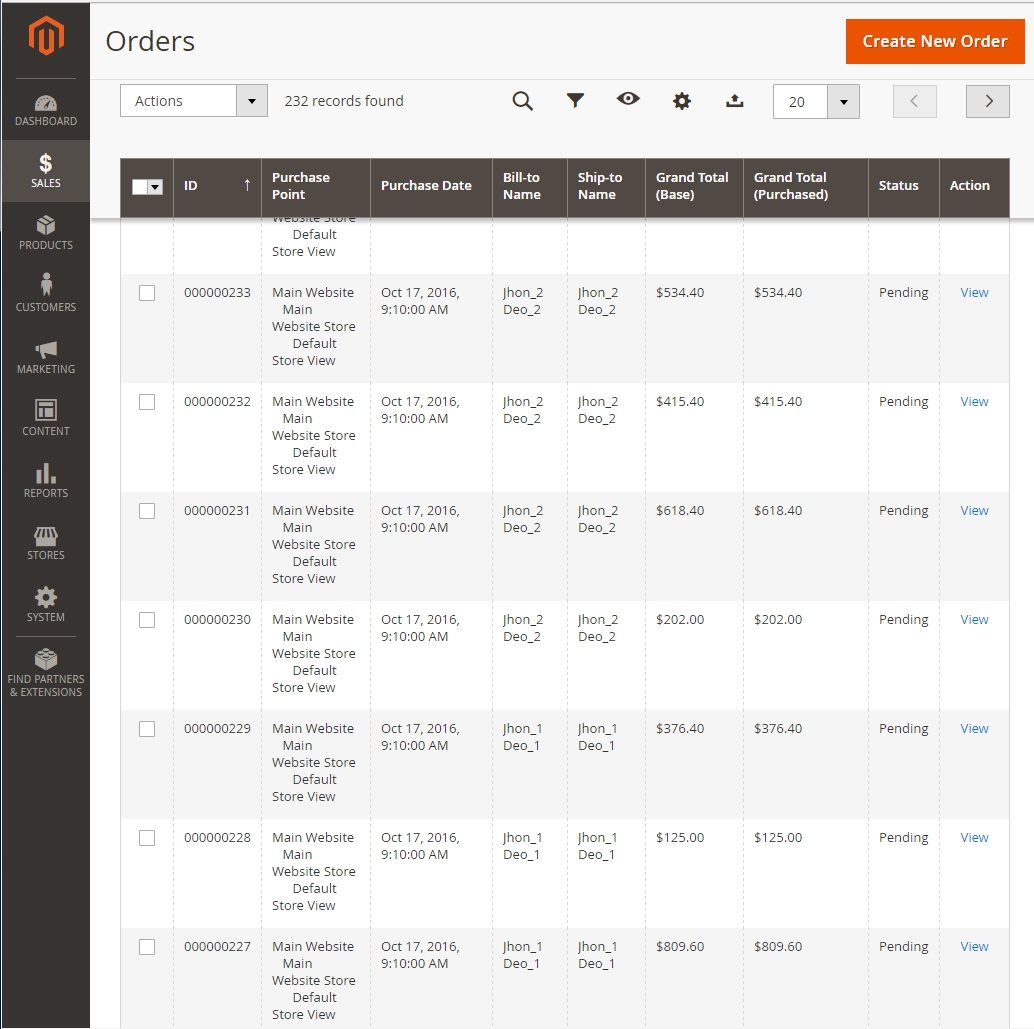
Updating Orders Programmatically
Once an order is created, you may need to programmatically update its status, add comments, or trigger actions such as shipping. Here are a few simple examples:
Change Order Status:
$order->setStatus('processing')->save();Add Order Comment:
$order->addStatusHistoryComment('Order updated programmatically.')->save();
Generate Invoices and Shipments Automatically
To fully automate your order workflows, you can generate invoices and shipments using Magento services. Below is a sample of how to register an invoice and create a shipment:
$invoice = $invoiceService->prepareInvoice($order);
$invoice->register()->save();

$transactionSave = $transactionFactory->create()
    ->addObject($invoice)
    ->addObject($invoice->getOrder());
$transactionSave->save();

$shipment = $shipmentFactory->create($order);
foreach ($order->getAllItems() as $orderItem) {
    if (!$orderItem->getQtyToShip()) continue;
    $shipmentItem = $shipmentItemFactory->create()
        ->setOrderItem($orderItem)
        ->setQty($orderItem->getQtyToShip());
    $shipment->addItem($shipmentItem);
}
$shipment->register();
$shipment->getOrder()->setIsInProcess(true);
$shipment->save();
Cancel Orders Programmatically
Magento allows you to cancel orders programmatically as long as the order meets the conditions for cancellation. Here’s how to safely cancel an order and add a note:
if ($order->canCancel()) {
    $order->cancel();
    $order->addStatusHistoryComment('Cancelled programmatically');
    $order->save();
}
Add Custom Order Attributes
In some cases, you may want to store additional metadata with an order, for example, a delivery date or internal tracking note. To do this:
Create new attributes in
sales_orderandsales_order_gridusingUpgradeData.phpUse observers such as
sales_order_save_afterto populate valuesExtend the admin UI to display your custom attributes
Error Handling and Performance Best Practices
Robust and scalable order generation requires careful attention to error handling and performance. Here are some key recommendations:
Wrap order creation and update logic in
try/catchblocks to handle unexpected failures gracefully.Log critical issues using
$logger->error()for better diagnostics and support.Use Dependency Injection (DI) instead of the Object Manager whenever possible to follow Magento coding standards.
Batch quote creation and submission processes to reduce database overhead.
Preload stock quantities before order generation to avoid out-of-stock errors.
Implement retry logic in case of inventory locks or race conditions.
Schedule large-scale operations using cron jobs or integrate with REST/GraphQL APIs for continuous workflows.
Recommended Amasty Extensions for Order Management
To enhance and extend your programmatic order workflows, consider using these Amasty extensions:
Order Attributes – Add custom fields to orders for capturing extra data during checkout or in the admin panel.
Mass Order Actions – Update, invoice, ship, or cancel orders in bulk to streamline your backend processes.
Extended Order Grid – Enhance order filtering and visibility with additional columns and sorting options.
Import Orders and Export Orders – Easily import orders in bulk via CSV/XML for testing, migration, or staging environments.
Custom Reports Builder – Create custom reports to analyze programmatically generated orders and performance.
Want help building a development-ready order automation setup? Reach out to the Amasty team – we’re here to help you get started.